This is the ANCHR landing-page prompt stack I would hand to a founder, marketer, trainer, consultant, or non-technical builder who wants a conversion page that does more than look polished. The goal is simple: make Claude help you research, structure, write, prove, test, and route the lead before the page goes live.
Enter your name and email to unlock the 3-page ANCHR PDF. You will see the download link here, and a copy will also be sent to your inbox.
A landing page is not just copy, design, or a form. It is a sequence of decisions. Who is this for? What are they already worried about? What promise is credible? What proof belongs before the button? What should happen after they submit?
When people use AI to make a landing page, they often start with a prompt like: "Create a landing page for my product." That gives Claude too little context and too much freedom. The output may sound fluent, but it usually reads like a brochure built from assumptions.
The better approach is to split the work into stages. Each prompt should do one job: discover the audience truth, sharpen the promise, map the page, add proof, create the lead magnet or calculator, then test the whole thing before launch.
Do not ask AI to write the landing page first. Ask it to uncover what the page must prove.
The full PDF gives you copy-ready prompts with fill-in-the-blank brackets. Here is the strategic version of what each prompt is built to do.
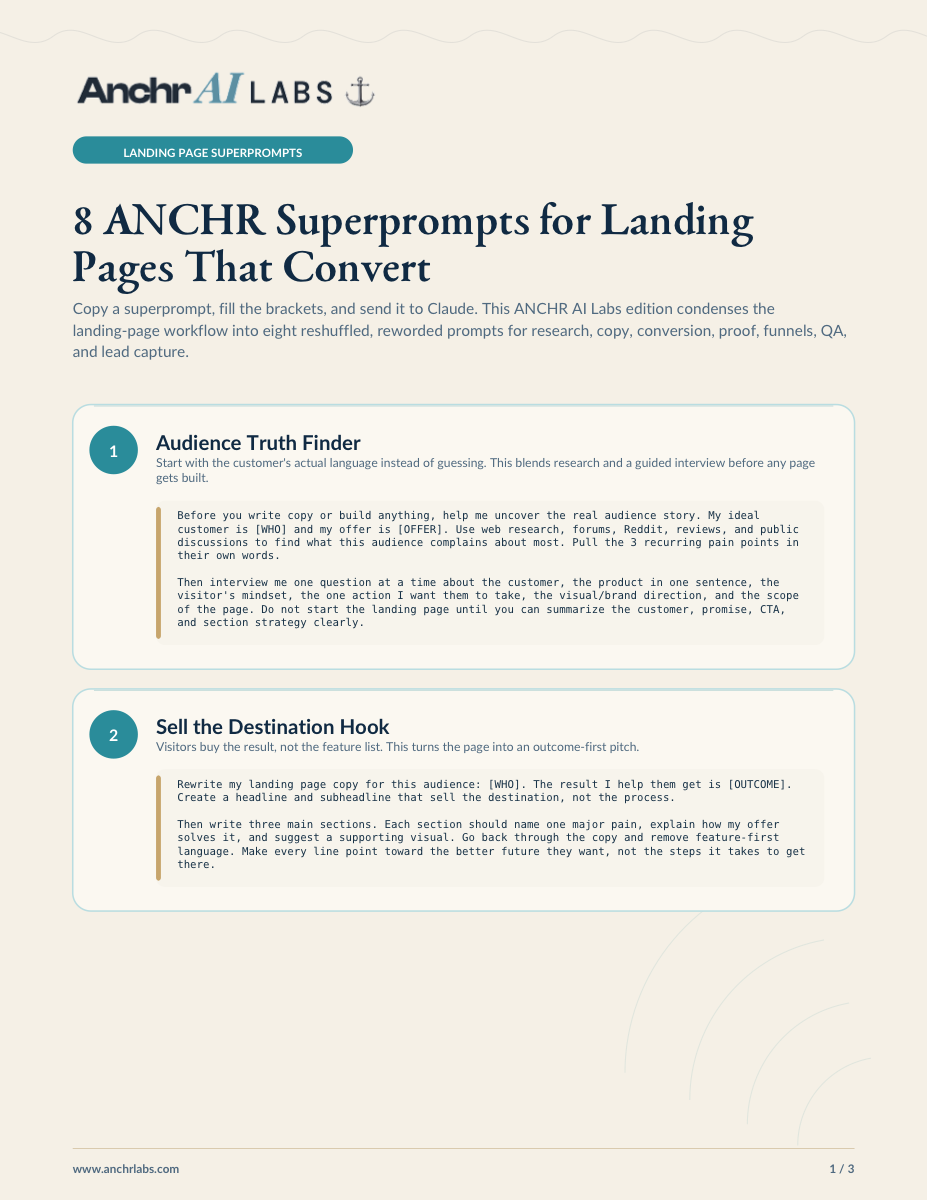
Use customer language before page language. This prompt makes Claude research complaints, reviews, forums, and public discussions, then interview you before drafting anything.
Rewrite the page around the result the buyer wants. It strips out feature-first language and forces every section to point toward the better future.
Give the page one route and one decision at a time: promise, explainer, comparison, value proposition, proof, and final CTA.
Place testimonials, screenshots, logos, results, and before-after evidence right where a skimmer is deciding whether to act.
Turn vague urgency into a personal number. This creates an ROI or lost-revenue calculator as the single focus of a conversion section.
Warm up cold visitors with a useful assessment, then capture the lead before asking for a bigger commitment.
Remove navigation, sharpen the mechanism, answer objections, and give paid traffic one unmistakable next step.
Audit the conversion logic, test every interaction in a browser, connect the form to a webhook, and retest until the lead arrives cleanly.
The temptation is to jump to the sexiest prompt first: the calculator, the VSL, the diagnostic funnel. Those are useful, but only after the message is grounded. If the audience research is weak, the calculator will quantify the wrong pain. If the proof is thin, the CTA will feel premature. If the form is untested, the lead may never arrive.
Start with Audience Truth Finder. Then move into the hook and conversion map. Once the page has a clear argument, add proof and choose the right conversion mechanism.
This stack works for training programmes, consulting offers, workshops, coaching, paid communities, service packages, bootcamps, and internal change programmes. The structure is not tied to one industry. It is tied to how people decide.
For a corporate training page, the proof wall might answer "Will my team actually use this after the workshop?" For a consultant, it might answer "Can this person diagnose my situation quickly?" For a bootcamp, it might answer "Will I leave with something real?" The sections stay similar, but the objections change.
AI is excellent at turning scattered information into a first structure. It can find recurring language, pressure-test a promise, suggest stronger section order, generate variants, and help QA the site before launch.
What AI should not do is replace your judgment. A landing page still needs human taste, market knowledge, real proof, and a decision about what the business actually wants from the visitor. The superprompts are there to make that judgment sharper, not outsource it.
The PDF includes the full prompt text for all eight workflows. Copy a superprompt, fill the brackets, and send it to Claude. Use one prompt at a time, in order, and you will get a much better page than asking for everything in one shot.
Enter your name and email above to unlock the freemium.